

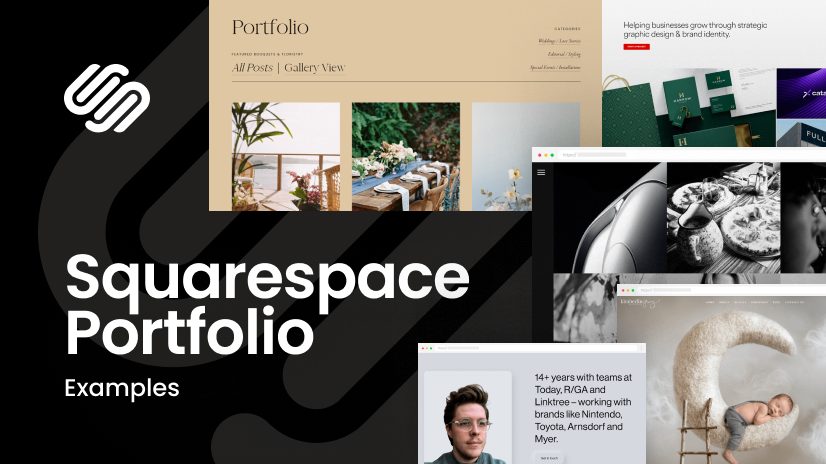

These days, everyone wants to build a professional portfolio , whether you’re a designer , writer , photographer , or artist . Squarespace is a great platform for creating your portfolio online . If you want to showcase your work to the world , this blog is for you!
I remember when I created my first portfolio, I was quite confused about which platform to use. So I chose Squarespace and started building my portfolio. You too can build your portfolio in a simple and professional way.
1. Understand Your Goals and Audience
First, you need to understand why you’re creating your portfolio. Do you want to showcase freelance work , or do you need a portfolio for job applications ? Who will your audience be— clients , recruiters , or industry professionals ?
My Personal Experience :
When I started my portfolio, the first thing I thought about was, ” Who would want to see my work ?” Then I showcased my best projects that would impress my target audience.
2. Choose the Right Template

Squarespace offers a wide range of simple and professional templates . You’ll want to choose a template based on your type of work. If you want to showcase visual work , choose an image-focused template , and if you want to showcase writing or content work, choose a clean and simple design .
My Personal Experience :
I used the Wells template because it was minimalistic and showcased my design projects well. This template was a perfect fit for my style.
3. Customize Your Portfolio


Squarespace gives you complete freedom to customize your portfolio . You can change the colors , fonts , and layout to your liking. This will make your portfolio personal and unique .
My Personal Experience :
When I customized my portfolio, I used my favorite color palette that reflected my personal brand. This small detail helps showcase my identity .
4. Showcase Your Best Work

It’s important to showcase your best work in your portfolio . Write a short description for each project , explaining how you worked and your contribution . This will help you develop a professional image .
My Personal Experience : I also shared the behind-the-scenes process
with my design projects . This gave my portfolio a personal touch and allowed people to understand my work process.
5. Add Personal Details and Contact Information

A portfolio should include an ” About Me” section, where you can write a little about yourself. This section adds a personal touch and allows potential clients or employers to learn about you. Also, include contact details so people can easily contact you.
My Personal Experience :
I shared my story and journey in my About Me section. This makes my portfolio relatable and people feel comfortable contacting me for their work.
6. Optimize Your Portfolio for SEO

It’s important to not only make your portfolio attractive but also optimize it for search engines . You need to use your keywords and meta descriptions correctly. This will help your portfolio appear higher in search results .
My Personal Experience : I added relevant keywords
to my portfolio . This helps me reach my target audience .
7. Keep It Updated

Your portfolio is a dynamic document that evolves over time. Keep adding your latest work so your portfolio always looks fresh and relevant .
My Personal Experience : I update
my portfolio every quarter . This keeps my portfolio fresh and interesting , which keeps my audience engaged.
Conclusion:
Squarespace is an amazing tool that gives you the freedom to easily build your professional portfolio . If you create your portfolio according to your style , it will not only be professional but also reflect your personal identity . So, start your portfolio and share your journey with the world!
Note : This blog content is for informational purposes only. You should also consult Squarespace or another platform’s official documentation for updated information, such as their website or contact customer support. Every creative professional’s portfolio is unique, and this blog is merely a guideline that can help you build your own portfolio.
#ProfessionalPortfolio #SquarespacePortfolio #CreativePortfolio #BuildYourPortfolio #PersonalBranding #DesignPortfolio #FreelancePortfolio #SquarespaceTips #CreativeJourney #PortfolioBuilding #OnlinePortfolio #WebsiteDesign #PersonalBrand #ContentCreation #DesignCommunity #CreativeLife#carrerbook#anslation.




Leave a Reply