

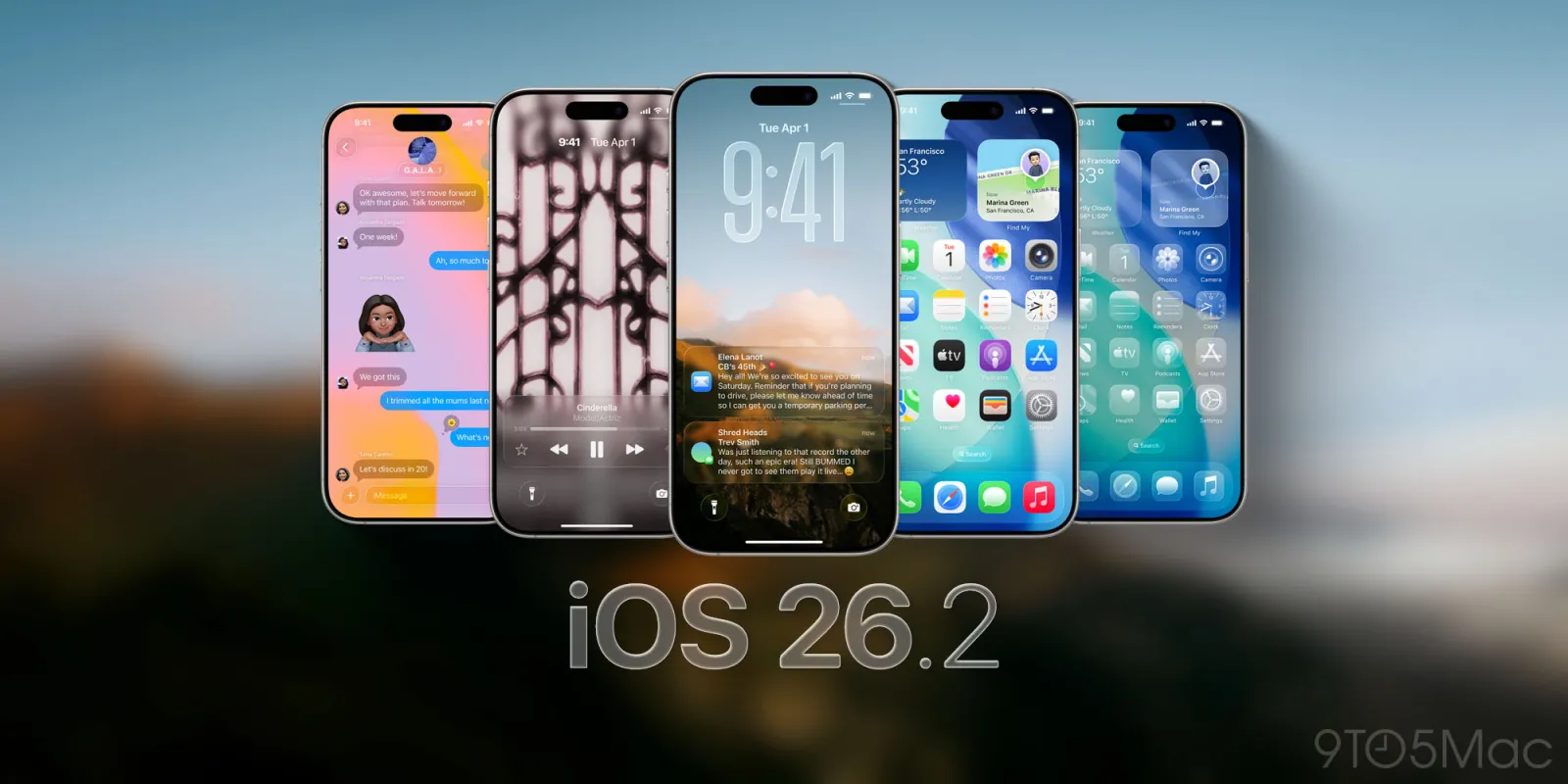

Apple has officially released version 26.2 updates across its core operating systems, including iOS, iPadOS, macOS, watchOS, and visionOS, making them available to users worldwide starting today. While updates have arrived for nearly every Apple platform, it is iOS 26.2 for iPhone that has captured the most attention — largely due to its continued refinement of the Liquid Glass interface, new customization tools, and meaningful feature upgrades across popular apps.
Launched with iOS 26, the new design language for Apple devices turns various interface elements like buttons, sliders, and notifications semi-transparent. The elements also refract light, giving them the optical qualities of glass.

Meant to modernize Apple’s operating systems and potentially prepare for a world where the operating system moves to AI smart glasses, Liquid Glass received mixed reviews. Some found that the transparency made their device difficult to use, as it became tricky to read key items, like notifications or the name of an artist in Apple Music. In response to user complaints, Apple released a Liquid Glass tool in iOS 26.1 that allowed users to return their interface to a more “frosted” look, if desired.
If your iPhone finally updated to the newest iOS and you aren’t really loving it, you’re not alone.
Since September, iPhone users have had the chance to update their phones to iOS 26, Apple’s software update that ushered in new features like the Liquid Glass design and tools powered by Apple Intelligence.
According to Apple’s official release notes, the update delivers “enhancements to Apple Music, Podcasts, and Games, as well as other features, bug fixes, and security updates for your iPhone.” However, beyond Apple’s brief description, iOS 26.2 represents a broader shift in how the company is responding to user feedback following the ambitious design overhaul introduced earlier this year.
OS 26.2 Updates Now Available Across Apple Devices
Alongside iOS 26.2, Apple has released:
- iPadOS 26.2
- macOS 26.2
- watchOS 26.2
- visionOS 26.2
Each update brings a mix of feature improvements, performance optimizations, and essential security patches. Apple continues its strategy of aligning features across platforms while tailoring them to each device’s strengths.
How to Update to iOS 26.2 and Other OS 26.2 Versions

Apple has made the update process largely automatic for most users.
If Automatic Updates are enabled, your device may already be running the latest OS. For those who prefer manual installation, the steps are straightforward:
- Open Settings
- Tap General
- Select Software Update
- Choose Update Now or Update Tonight
On Macs, Apple Watch, and Vision Pro, the steps are similar, with minor variations in menus. Apple recommends connecting to Wi-Fi and ensuring adequate battery life before updating.
What’s New in iOS 26.2?
Although the iOS 26.2 beta has been available since November, the public release bundles several updates that improve everyday usability.
Apple Music Gets Smarter and More Accessible
Apple Music sees noticeable upgrades in iOS 26.2:
- The “Favorite Songs” playlist now appears prominently under “Top Picks” on the Home tab
- Offline lyrics are now available for downloaded songs, making the feature useful even without an internet connection
These changes aim to improve music discovery while making Apple Music more practical for travel and offline listening.
Podcasts Introduce AI-Powered Navigation
The Podcasts app receives:
- Automatically generated chapters, allowing listeners to jump easily between sections of an episode
- Improved discovery tools, including features that reference or link to other podcasts mentioned in an episode
These AI-driven additions make long-form content easier to consume and navigate.
Games and Controller Enhancements
Gaming-related updates include:
- New filters in the Games library for better organization
- Improved support for third-party mobile controllers, expanding compatibility for serious and casual gamers alike
These improvements further Apple’s push to make iPhone and iPad more viable gaming platforms.
Liquid Glass: Apple Continues to Refine Its Bold Design Vision


One of the most significant elements of iOS 26.2 is Apple’s ongoing adjustment of Liquid Glass, the semi-transparent design language introduced with iOS 26.
Liquid Glass transformed buttons, notifications, sliders, and interface elements into light-refracting, glass-like surfaces. Apple positioned the redesign as a modern visual refresh — and possibly a foundation for future AI-powered smart glasses.
However, many users quickly voiced concerns. The transparency, while visually striking, made text and critical information harder to read in real-world conditions
New Transparency Controls in iOS 26.2

With iOS 26.2, Apple introduces another tool to dial down Liquid Glass transparency, this time focusing on Lock Screen customization. Users can now control the transparency of the Lock Screen clock, adjusting how “glassy” it appears.
This follows iOS 26.1, which added a system-wide opacity slider allowing users to revert to a more frosted, less transparent look.
Rather than undoing Liquid Glass entirely, Apple is choosing a user-controlled customization approach, letting individuals decide how much transparency works best for them.
Design Changes and Internal Shifts at Apple
These refinements arrive at an interesting moment for Apple’s design leadership. Earlier this month, Apple confirmed that Alan Dye, the executive behind Liquid Glass, is leaving the company for Meta.
Apple has replaced Dye with Stephen Lemay, a longtime Apple designer whose career has focused heavily on interface and interaction design. Industry observers suggest this shift could influence how aggressively Apple prioritizes usability improvements moving forward.
What’s New in iPadOS 26.2?

iPadOS 26.2 builds on the multitasking foundation introduced earlier this year. Apple’s release notes highlight 17 changes and bug fixes, with a strong emphasis on window management.
Key improvements include:
- Enhanced windowing system
- Familiar drag-and-drop gestures for tiling windows
- Easy creation of Slide Over windows by dragging apps from the Dock
Most app-level updates mirror iOS 26.2, including Apple Music offline lyrics, Podcasts chapters, Games filters, and Liquid Glass opacity controls.
Mixed User Reactions to iOS 26 Continue
Since September, iPhone users have been updating to iOS 26, which introduced Liquid Glass and Apple Intelligence-powered tools. While some appreciate the futuristic design, others continue to criticize readability and visual clutter.
Apple released iOS 26.1 in November, meaning many users are only now experiencing the design changes due to automatic updates. Reporting from Forbes, MacRumors, and 9to5Mac previously indicated that iOS 26.2 would arrive soon — and Apple has now delivered the update.
More on iOS: Apple’s iOS 26 update is coming. See key features, compatible devices.
Final Thoughts
With iOS 26.2 and OS 26.2 updates across its ecosystem, Apple appears to be recalibrating rather than retreating. The company is maintaining its bold design direction while offering users more control, better accessibility, and improved everyday functionality.For users frustrated by Liquid Glass, iOS 26.2 offers welcome flexibility. For Apple, it signals a willingness to evolve its vision — not abandon it.
Note: This content is for informational purposes only. Features and availability may vary by device, region, and model. Always back up your data before installing software updates.
#Apple #iOS262 #AppleUpdate #LiquidGlass #TechNews #iPhoneUpdate #AppleDesign #iPadOS262#Carrerbook#Anslation.



Leave a Reply