

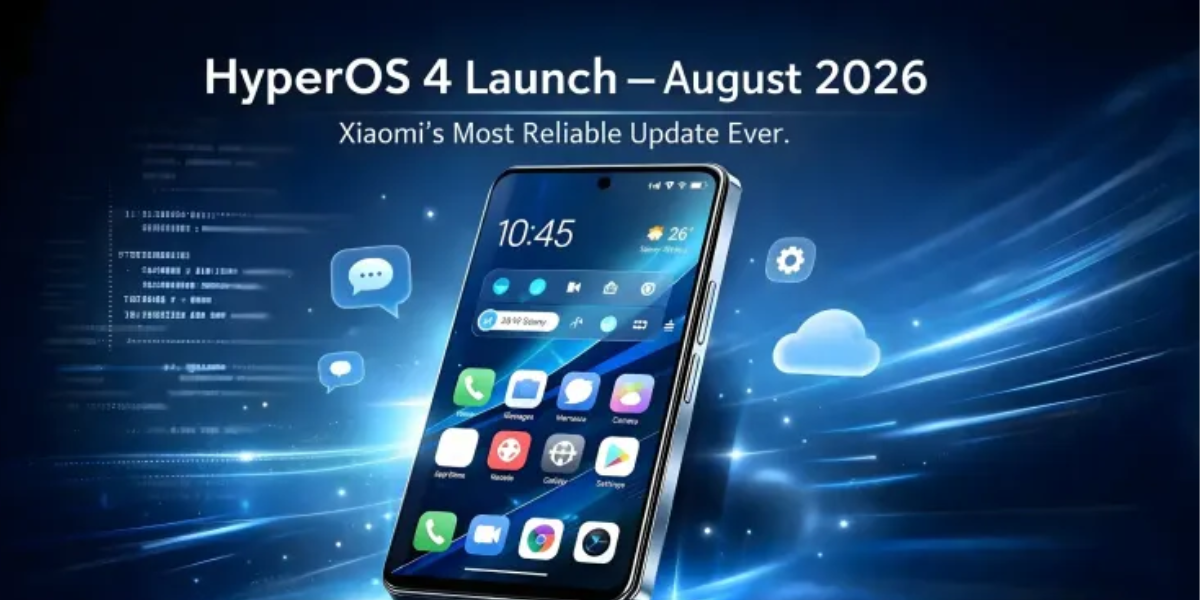

Smartphones have long evolved past being simple tools for sending texts, scrolling social feeds, or making phone calls. Today, we count on them to process tasks instantaneously, capture high-res moments, keep our personal data strictly private, and connect effortlessly to our tablets, smartwatches, and laptops. Recognizing this shift, Xiaomi has been steadily refining its ecosystem—culminating in the release of Xiaomi HyperOS 4.
Built on the foundation of Android 17, HyperOS 4 is more than just a surface-level makeover. It combines a brand-new design language, deep system-level optimizations, useful artificial intelligence tools, and tighter cross-device hardware integration.
Whether you are using a flagship Xiaomi model, a budget-friendly Redmi, or a performance-focused POCO phone, you are likely asking two main questions: Will my phone get this update? and Will it actually make my phone run faster?
In this detailed breakdown, we will walk through everything you need to know about HyperOS 4—its design changes, core performance tweaks, AI integration, rollout timeline, and practical tips on how to prepare your phone for a smooth upgrade.
What Is Xiaomi HyperOS 4?

Xiaomi HyperOS 4 is the latest iteration of Xiaomi’s custom operating system, crafted to power an interconnected ecosystem spanning smartphones, tablets, wearables, and smart home tech.
Instead of merely altering icon packs or color palettes, Xiaomi focused heavily on three core pillars:
- Visual refinement: Crafting a modern, fluid visual identity that feels pleasant to use daily.
- System efficiency: Revamping memory management and app execution so devices feel quick and responsive.
- Intelligent automation: Embedding on-device and cloud-based AI to help simplify daily routines.
By reworking how the operating system handles background resources and user inputs, Xiaomi aims to deliver a unified experience that feels light, fast, and cohesive across all price points.
Top Features Coming to Xiaomi HyperOS 4
Here is a closer look at the key features and design changes arriving with HyperOS 4.
       ┌─────────────────────────────────────────────────────────┐
       │                 Xiaomi HyperOS 4 Core                   │
       └────────────────────────────┬────────────────────────────┘
                                    │
    ┌───────────────────┬───────────┴───────────┬───────────────────┐
    │                   │                       │                   │
┌───▼──────────────┐ ┌──▼──────────────┐ ┌──────▼─────────────┐ ┌───▼──────────────┐
│  Soft Light      │ │ HyperAI Suite   │ │ Workload           │ │ Cross-Device     │
│  Glass Design    │ │ Voice Notes,    │ │ Scheduling         │ │ Connectivity     │
│  Dynamic UI      │ │ Translation     │ │ Memory Preload     │ │ Interconnect     │
└──────────────────┘ └─────────────────┘ └────────────────────┘ └──────────────────┘
1. Soft Light Glass Design Language
The first thing you will notice upon unlocking a device on HyperOS 4 is the Soft Light Glass aesthetic. Xiaomi moved toward translucent, glass-like UI layers, subtle dynamic lighting, and soft shadows that give depth to windows and control panels.
- Interactive Elements: Interface buttons and panels respond to physical touch and swipe gestures with localized lighting ripples, giving touch inputs a tactile, physical quality.
- Layered Depth: Menus and notification sheets float gently over blurred backgrounds, making navigation feel natural rather than flat.
Note: Visual effects and blur density automatically scale down on lower-tier hardware to preserve frame rates.
2. Enhanced Lock Screen Customization
Your lock screen is your phone’s front door. HyperOS 4 opens up deeper personalization options:
- Flexible Typography: Adjust font weights, styles, and sizes for clock widgets.
- Dynamic Visual Stacking: Place clock elements subtly behind subjects in your custom wallpapers for a magazine-style depth effect.
- Expanded Glance Widgets: Add subtle status rings for battery levels, step counts, or upcoming calendar events directly on the lock display.
3. Redesigned Notification System

Managing notifications can quickly turn into a daily chore. HyperOS 4 updates panel organization with Notification Stacking:
- Contextual Grouping: Messages, delivery alerts, and promotional pings from the same app or category cluster automatically into neat, collapsible groups.
- Priority Sorting: Important alerts (like direct messages or navigation updates) remain prominent at the top, while low-priority updates sit unobtrusively below.
4. Re-sizable Home Screen Folders & Stacking
Keeping a tidy home screen shouldn’t feel like hard work. HyperOS 4 offers practical layout improvements:
- Custom Folder Sizes: Shrink or expand desktop folders into 2×2, 3×3, or wide banners. You can launch your favorite apps directly with a single tap without opening the full folder view.
- Widget Stacking: Save valuable home screen real estate by stacking multiple widgets on top of each other. A quick vertical swipe lets you toggle between weather forecasts, calendar events, music controls, and quick notes.
5. Smarter System Performance and Fluidity
Visual changes are nice, but day-to-day speed is what keeps a phone feeling usable long-term. Under the hood, HyperOS 4 introduces an updated workload scheduler, a refined app runtime, and smarter memory preloading.
According to internal benchmarks provided by Xiaomi:
- Faster App Launches: Cold and warm launches across 30 common applications show a measurable speed boost—dropping cumulative launch delays down from ~40.3 seconds on HyperOS 3 to ~36.8 seconds on HyperOS 4 over extended usage periods.
- Camera Optimization: Shutter lag and HDR image processing speeds have been tightened, allowing you to snap rapid sequence shots with less delay between capture and processing.
Xiaomi HyperAI: Smarter Tools for Everyday Tasks

Artificial intelligence in HyperOS 4 isn’t just about fun camera filters; it’s geared toward practical productivity via the Xiaomi HyperAI engine.
| AI Feature | Primary Function | Ideal Use Case |
| AI Voice Notes | Records audio and transcribes it into structured notes with key takeaways. | Meetings, lectures, quick voice memos on the go. |
| AI Speech Recognition | Distinguishes between multiple speakers and drafts auto-summaries. | Team discussions and formal interviews. |
| AI Translation | Delivers real-time bidirectional translation for spoken conversations. | Traveling, overseas client calls, learning new languages. |
| AI Gallery Search | Finds specific photos using natural language (e.g., “Red jacket at the beach”). | Navigating large photo libraries without manual tagging. |
| AI Creativity Assistant | Offers generative object removal, background expansion, and style edits. | Cleaning up background clutter in personal photographs. |
Global Rollout Schedule & Eligible Devices
Xiaomi’s update distribution covers Xiaomi, Redmi, and POCO lineups globally. The initial global rollout timeline is divided into three primary windows:
        HYPEROS 4 ROLLOUT TIMELINE (2026)

  Early November          Mid-November            December
  ┌──────────────┐        ┌──────────────┐        ┌──────────────┐
  │  Flagships   │ ─────► │  Mid-Range   │ ─────► │ Legacy &     │
  │  & New Tech  │        │  & Foldables │        │ Budget Lines │
  └──────────────┘        └──────────────┘        └──────────────┘
Phase 1: Early November 2026
- Xiaomi Series: Xiaomi 17 Ultra, Xiaomi 17, Xiaomi 17T, Xiaomi 17T Pro, Xiaomi 15, Xiaomi 15 Ultra
- Redmi Series: REDMI Note 15 Series, REDMI 17 Series, REDMI 15C Series
- POCO Series: POCO F8 Ultra, F8 Pro, X8 Pro, X8 Pro Max, M8, M8 Pro, C85, C95 Pro
- Tablets: Xiaomi Pad 8, Xiaomi Pad 8 Pro
- Special Releases: Leica Leitzphone (powered by Xiaomi) and select regional variants.
Phase 2: Mid-November 2026
- Xiaomi Series: Xiaomi 15T, Xiaomi 15T Pro
- Redmi Series: REDMI Note 17 Series, REDMI Pad 2 Pro Series
- POCO Series: POCO F9 Ultra, F9 Pro, F7 Ultra, F7 Pro, F7, X7 Pro
- Tablets: Xiaomi Pad 7, Pad 7 Pro, Pad Mini, POCO Pad X1, POCO Pad M1
Phase 3: December 2026
- Xiaomi Series: Xiaomi MIX Flip, Xiaomi 14 Series, Xiaomi 13 Series, Xiaomi 14T Series, Xiaomi 13T Series
- Redmi Series: REDMI Note 14 Series, REDMI 15 Series, REDMI 14S, REDMI A7 Pro
- POCO Series: POCO F6 Series, POCO X8s, X7, X6 Pro, M8s, M7, C81 Pro
- Tablets: Xiaomi Pad 6S Pro 12.4, REDMI Pad 2 Series, POCO Pad C1
Regional Note: Rollout schedules vary slightly depending on country, carrier locks, and localized testing builds. If your phone model is listed above, you will receive an System Update prompt as regional servers go live.
Side-by-Side Comparison: HyperOS 3 vs. HyperOS 4

If you are currently running HyperOS 3, here is how the key areas compare directly:
┌────────────────────┬────────────────────────┬────────────────────────┐│ Feature Area │ HyperOS 3 │ HyperOS 4 │├────────────────────┼────────────────────────┼────────────────────────┤│ Visual Aesthetics │ Flat design language │ Soft Light Glass UI ││ Lock Screen │ Basic font options │ Layered clock styling ││ Notifications │ Standard listing │ Smart stacking ││ Home Screen Folders│ Fixed layouts │ Resizable grids ││ Widget Layouts │ Single placement │ Vertical widget stacks ││ Under-the-Hood │ Standard scheduling │ Dynamic scheduling ││ Artificial Intell. │ Basic photo tools │ Full HyperAI suite ││ Data Encryption │ Standard OS security │ Quantum-resistant │└────────────────────┴────────────────────────┴────────────────────────┘
Privacy, Security, and Seamless Ecosystem Integration
Beyond visual tweaks, Xiaomi has put substantial effort into back-end security and device connectivity:
- Quantum-Resistant Encryption: Designed to safeguard local data channels and communication links against advanced data decryption methods.
- Edge-to-Cloud Privacy Protection: Processing sensitive task data locally on your device whenever possible. When cloud resources are required, data is handled via confidential cloud computing enclaves to prevent unauthorized access.
- Cross-Device Interconnectivity: HyperOS 4 links your phone, tablet, and smart devices together effortlessly. You can drag and drop images or text across screens, answer incoming calls directly from your tablet, or use your phone as an expanded display for compatible hardware.
Pre-Update Checklist: How to Install Safely
When a major OS update arrives, rushing into the download without preparing your phone can lead to lost files or unnecessary headaches. Here is a simple pre-flight checklist to keep your update process smooth:
- Back Up Your Data: Store important photos, contact cards, and personal files to Xiaomi Cloud, Google Drive, or a local storage device.
- Clear Up Storage: System updates require space to unpack and install. Ensure you have at least 10GB to 15GB of free internal storage.
- Charge Your Device: Maintain at least 50% to 60% battery life, or keep your device plugged into a charger throughout the installation.
- Use High-Speed Wi-Fi: OS packages are large (often between 4GB and 7GB). Download over a stable Wi-Fi connection to prevent corrupted installation files.
- App Compatibility Check: After installing a major base update (like Android 17), update all your installed apps through the Google Play Store or Xiaomi GetApps to avoid unexpected crashes.
How to Check for the Update
When your region goes live, checking for the update is straightforward:
- Open Settings on your device.
- Tap About Phone.
- Tap the HyperOS Version banner.
- Tap Check for Updates.
- Once found, review the changelog and select Download and Install.
Final Verdict: Is HyperOS 4 Worth It?

HyperOS 4 represents a balanced update. Rather than overloading the interface with gimmicks, Xiaomi has delivered a solid mix of clean visual updates, practical productivity tools, and real underlying speed tweaks.
While older budget phones won’t magically perform like brand-new flagships, the lighter background footprint and improved memory scheduling should give daily tasks a welcome boost in responsiveness. If your device is on the official update list, HyperOS 4 is definitely an upgrade worth making.
Frequently Asked Questions
What is Xiaomi HyperOS 4 based on?
HyperOS 4 is Xiaomi’s latest operating system built on Android 17, designed to enhance performance, UI design, and AI integration.
How does the new Soft Light Glass design improve the user interface?
It introduces translucent layers, soft shadows, and touch-responsive lighting effects that make navigating the phone feel smoother and more dynamic.
Which devices are eligible for the Xiaomi HyperOS 4 update?
Selected flagship, mid-range, and budget devices across the Xiaomi, Redmi, and POCO lineups will receive the update between November and December 2026.
What practical AI features does Xiaomi HyperAI include?
HyperAI offers real-world productivity tools such as AI Voice Notes, real-time speech translation, smart gallery search, and generative image editing.
Will HyperOS 4 make older smartphones faster?
Yes, improved workload scheduling and smarter memory preloading help apps launch faster and run smoother, though hardware limits still apply.



Leave a Reply