
How to Create the Perfect Instagram Story Size for Photos and Videos in 2026


Instagram Stories are a popular way to share photos, videos, updates, promotions, and everyday moments. However, using the wrong image dimensions can make your content look blurry, cropped, or poorly aligned. Choosing the correct Instagram Story size helps your photos and videos fit mobile screens properly.
The recommended Instagram Story dimensions are 1080 × 1920 pixels, with a 9:16 aspect ratio. Whether you are creating a personal update, promoting a product, or sharing a business announcement, the right size can make your Stories look more professional.
In this guide, you will learn about Instagram Story dimensions, image and video formats, editing tools, design tips, and common mistakes to avoid.
In this article
1. Understand the Correct Instagram Story Size

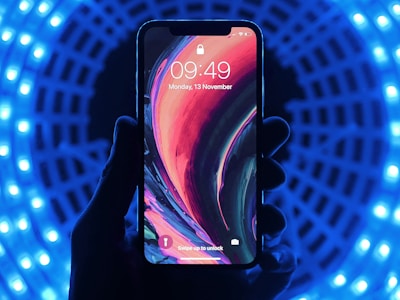
Instagram Stories are designed for vertical viewing on mobile screens. Selecting the correct dimensions helps your photos and videos fill the screen without unwanted cropping or empty spaces.
The recommended Instagram Story size is 1080 × 1920 pixels. This provides a vertical layout that works well for photographs, videos, promotional designs, and personal updates.
Choose the 9:16 Aspect Ratio
The 9:16 aspect ratio is the standard vertical format for Instagram Stories. It helps content fit modern smartphone displays.
- Use a vertical 9:16 layout.
- Set your design dimensions to 1080 × 1920 pixels.
- Avoid square or horizontal images for full-screen Stories.
Maintain Clear Image Quality
High-quality images make your Stories look more attractive and professional.
- Start with high-resolution photographs.
- Avoid stretching small images.
- Export designs in JPG or PNG format.
2. Check Instagram Story Dimensions Before Designing
 1. Set Story Width
Use 1080 pixels as the recommended width for Instagram Stories.
 2. Choose Story Height
Keep the height at 1920 pixels for a full vertical layout.
 3. Maintain 9:16 Ratio
Select a 9:16 aspect ratio to fit mobile screens properly.
 4. Check Image Quality
Use clear and high-resolution photographs to avoid blurry results.
 5. Select File Format
Choose JPG or PNG for images and MP4 for video content.
 6. Preview Before Upload
Review the final design to check alignment, cropping, and readability.
Before creating a Story, check its width, height, and aspect ratio. Correct dimensions help prevent unnecessary resizing and maintain a balanced design.
Use the Recommended Dimensions
The 1080 × 1920 pixel format is suitable for standard vertical Instagram Stories. You can use these dimensions in online design tools and mobile editing applications.
Understand Different Story Elements
| Story Element | Recommended Format |
|---|---|
| Story Image | 1080 × 1920 pixels |
| Story Video | 1080 × 1920 pixels |
| Aspect Ratio | 9:16 |
| Image Format | JPG or PNG |
| Video Format | MP4 |
3. Use the Right Tools to Resize Instagram Stories
You do not need advanced editing skills to create attractive Instagram Stories. Several online tools and mobile applications provide ready-made templates and resizing options.
Try Canva for Easy Story Designs

Canva offers ready-made Instagram Story templates. You can add photographs, text, backgrounds, and design elements without creating everything from scratch.
Use Adobe Express for Quick Resizing

Adobe Express provides image resizing and design features that help prepare visual content for social media platforms.
| Design Tool | Main Features | Best For |
|---|---|---|
| Canva | Templates and graphic design | Beginners |
| Adobe Express | Image resizing and editing | Quick designs |
| Photoshop | Advanced image editing | Professional designs |
| CapCut | Video editing and effects | Story videos |
| Picsart | Photo editing and creative effects | Photo Stories |
4. Keep Important Content Within Safe Areas
Instagram displays profile information, buttons, and other interface elements over Stories. If you place important text too close to the edges, some content may become difficult to see.
Keeping essential information near the centre of your design makes it easier for viewers to read.
Leave Space at the Top and Bottom
- Avoid placing important text directly at the top.
- Keep essential information away from the bottom interface.
- Leave enough space around logos and headlines.
Make Text Easy to Read
Use clear fonts, suitable text sizes, and contrasting colours. Avoid adding too much information to a single Story.

5. Select the Best Image and Video Formats
Choosing an appropriate file format helps your Instagram Stories maintain good visual quality. Different formats are suitable for different types of content.
Best Image Formats
- JPG works well for regular photographs.
- PNG is useful for graphics and designs.
- Use high-quality images to avoid pixelation.
Best Video Formats
- MP4 is a widely supported video format.
- Use vertical 9:16 video dimensions.
- Check the final video before uploading it.
6. Design Attractive Instagram Stories
 1. Use Matching Colours
Choose two or three complementary colours to create a balanced and attractive Story.
 2. Add Readable Text
Use simple fonts, suitable text sizes, and clear headlines to make your message easy to understand.
 3. Include Creative Elements
Add relevant stickers, photos, and simple graphics to make your Stories more engaging.
A good Instagram Story should communicate its message quickly. Clean layouts, attractive visuals, and readable text can help viewers understand your content.
Use Consistent Colours and Fonts
Select a small colour palette and use matching fonts throughout your Stories. Consistent designs can make your social media profile look more organised.
Add Engaging Visual Elements
- Include relevant photos and short videos.
- Use stickers and polls when they support your message.
- Add clear headlines and simple calls to action.
- Choose backgrounds that complement your photographs.
7. Avoid Common Instagram Story Size Mistakes
Incorrect dimensions and poor-quality images can affect the overall appearance of your content. Following a few basic guidelines can help you avoid common design problems.
Check Common Design Problems
| Common Mistake | Possible Problem | Better Solution |
|---|---|---|
| Using square images | Empty spaces or cropping | Use 9:16 dimensions |
| Uploading low-quality photos | Blurry appearance | Use high-resolution images |
| Adding text near edges | Text may be covered | Keep text in safe areas |
| Using incorrect video ratio | Unwanted cropping | Export in 9:16 |
| Overloading designs | Difficult readability | Keep layouts simple |
Keep Your Design Simple
Too much text, unnecessary stickers, and distracting backgrounds can make a Story difficult to understand. Keep the layout simple and focus on the main message.
8. Preview Your Story Before Uploading
Before publishing, check how your Story looks on a mobile screen. A quick preview can help you identify cropping problems, unreadable text, and misplaced design elements.
Check Dimensions and Alignment
Confirm that your design uses 1080 × 1920 pixels and maintains a vertical 9:16 layout.
Review the Final Design
- Check whether text is readable.
- Make sure important elements are visible.
- Look for blurry images or unwanted borders.
- Confirm that the design is suitable for mobile viewing.
9. Create Instagram Stories That Look Professional
Professional-looking Instagram Stories do not always require complicated editing. The right dimensions, clear images, balanced layouts, and readable text can make a noticeable difference.
Focus on Visual Consistency
Maintain a similar design style across your Stories. Consistent colours, fonts, and layouts can help create a recognisable social media identity.
Save and Reuse Your Templates
Create reusable templates for announcements, promotions, product highlights, and everyday updates. This can save editing time and make future content creation easier.
FAQ’s
1. What is the correct Instagram Story size in 2026?
The recommended Instagram Story size is 1080 × 1920 pixels with a 9:16 aspect ratio.
2. Can I upload square photos to Instagram Stories?
Yes, you can upload square photos, but they may leave empty spaces or require cropping to fit the vertical screen.
3. Which image format is best for Instagram Stories?
JPG and PNG are commonly used image formats for Instagram Stories.
4. Which tools can resize Instagram Stories?
Canva, Adobe Express, Photoshop, and Picsart offer useful resizing and editing features.
5. How can I prevent Instagram Stories from looking blurry?
Use high-resolution images, maintain the recommended dimensions, and avoid repeatedly resizing or compressing your files.


One Comment